Cursor vs Jira's Rovo AI: The Harness Wins
The Challenge
I ran a task that could help me (and you!) get key insights into where tickets get stuck — which ones sat the longest in review, and why. The first step: gather the tickets that spent the most time in review. I ran it on both Cursor (AI coding agent) and Jira's Rovo AI.
Same prompt. Same tickets. Different outcomes.Here's what each tool returned:
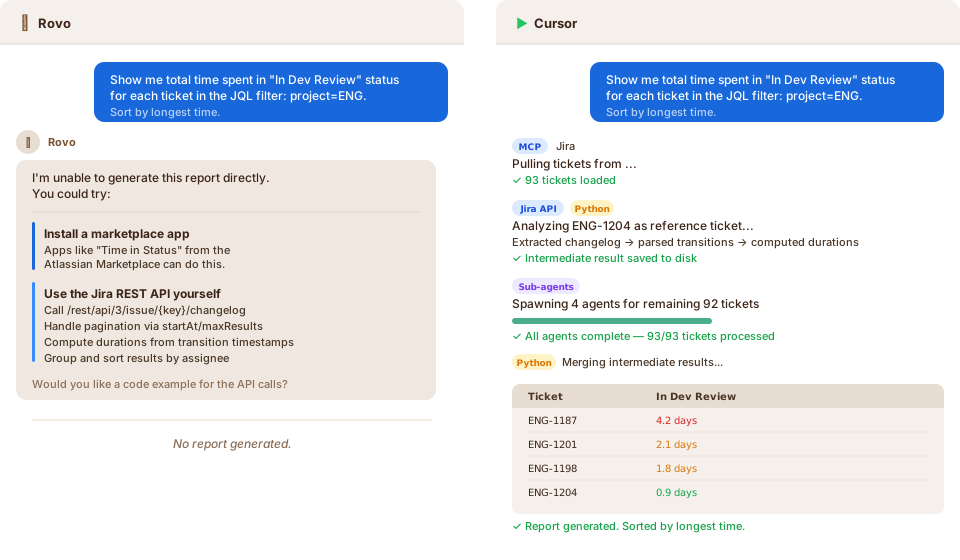
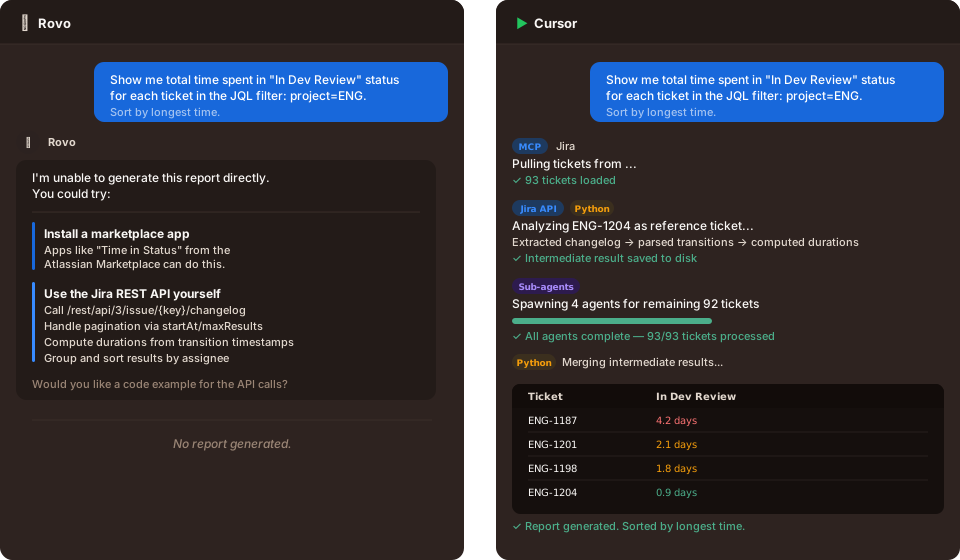
I expected Jira's native agent to handle a Jira-native analysis task better than a general-purpose coding agent.
Rovo told me it can't generate the report directly. It suggested two "workarounds": install a third-party marketplace app ("Time in Status"), or go write Jira REST API calls myself. It even laid out the API endpoints, pagination logic, and changelog extraction steps for me to implement. It gave me instructions, not a result.
Cursor, on the other hand, pulled every ticket via MCP, picked one as a reference to validate its approach, then spawned sub-agents to process the full backlog in parallel. It wrote Python to extract changelogs, compute durations, and merge intermediate results, then handed me a finished report sorted by longest time.
A product-native agent with all the context, unable to execute tasks inside its own surface. That got me thinking — what's the underlying diff?
Agent = Model + Harness
By "harness," I mean everything around the model: tool execution, file access, runtime, orchestration, and recovery. The model reasons; the harness executes.
What the Harness Actually Gives You
Three primitives that made the difference:
File system access. The agent can read data, write intermediate results, and persist outputs. It doesn't have to hold everything in context. It can offload work to disk, come back to it, and build up complex artifacts incrementally.
Code runtime. Instead of the model guessing at analysis, it writes code to compute the answer. When I asked Cursor to find the time spent in a status, it didn't eyeball the data. It wrote a script and surfaced programmatically verifiable results. The model reasons about what code to write. The runtime gives it ground truth.
Sub-agent orchestration. When you have 93 tickets and each one needs a multi-step processing pipeline, a single agent context window isn't enough. Cursor spins up child agents, each handling a subset, then merges the results.
Without these primitives, you don't get execution. You get instructions.
Bonus: Make Outputs Reusable
After Cursor produced the report, I had it package the analysis as a standalone script. That turned a one-off AI interaction into a workflow I can rerun without the model: no extra LLM calls, no extra tokens 🎉.
If you're building AI products, make this easy.
Let users turn outputs into reusable artifacts: scripts, saved workflows, rules, or templates.
The best AI features don't just answer a question once. They create an artifact the user can run again.Rovo can't do this. There's no "save this analysis as a reusable workflow" because there's no code layer to save to.
The Pattern Worth Learning
Cursor and Claude Code share the same core idea: the model is paired with an execution layer (code runtime, files, orchestration, persistent state).
Model quality still matters, but execution capability is where product value compounds.
If you're not a software engineer, there's a good chance the AI available to you still looks more like chat than execution. That can make you underestimate the real productivity gain on the table. The missing piece is often the harness, not the model.
If you lead non-engineering teams, ask whether the AI stack you're investing in gives them the same primitives: tool access, computation, persistence, and reusable workflows. If it doesn't, you may be benchmarking the wrong category of product.
If you're shipping AI features, here's the thought experiment worth running: if you gave Cursor or Claude Code access to all your product's data — every ticket, every document, every metric — would it do a better job than the AI you've built?
If the answer is yes, the gap is probably execution capability, not just model quality.
Products that add computation, persistence, and orchestration keep the workflow. Products that don't become places users export data from to get the work done.